Basic Examples
This section provides basic examples to help you get started with formio-react-native.
Simple Form
9:41
📶🔋
←Simple Form⋮
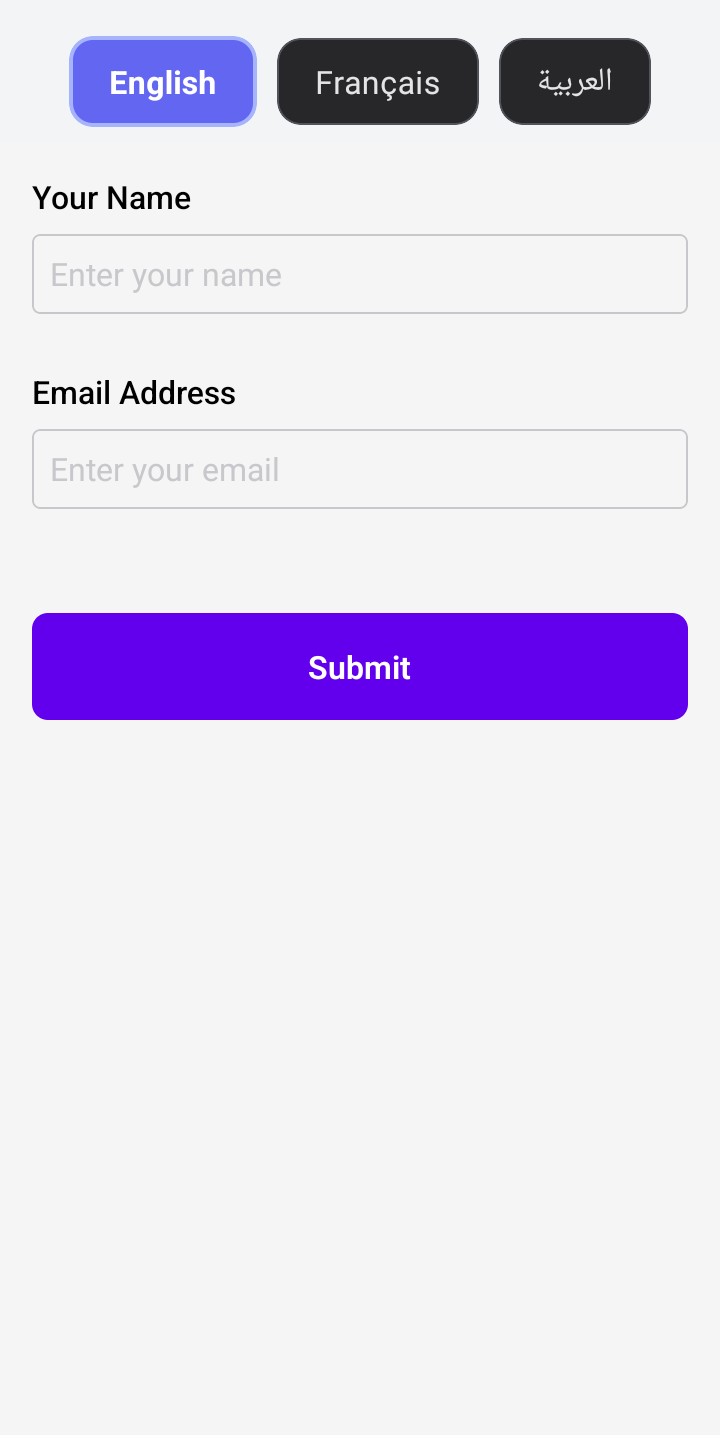
import React from 'react';
import { View, Alert } from 'react-native';
import { FormioForm } from 'formio-react-native';

const simpleFormSchema = {
  components: [
    {
      type: 'textfield',
      key: 'name',
      label: 'Your Name',
      placeholder: 'Enter your name',
    },
    {
      type: 'email',
      key: 'email',
      label: 'Email Address',
      placeholder: 'Enter your email',
    },
    {
      type: 'button',
      action: 'submit',
      label: 'Submit',
    },
  ],
};

function SimpleFormExample() {
  const handleSubmit = (submission: any) => {
    Alert.alert('Form Submitted', JSON.stringify(submission, null, 2));
  };

  return (
    <View style={{ flex: 1, padding: 20 }}>
      <FormioForm form={simpleFormSchema} onSubmit={handleSubmit} />
    </View>
  );
}

export default SimpleFormExample;
Form with Validation
9:41
📶🔋
←Validation Form⋮
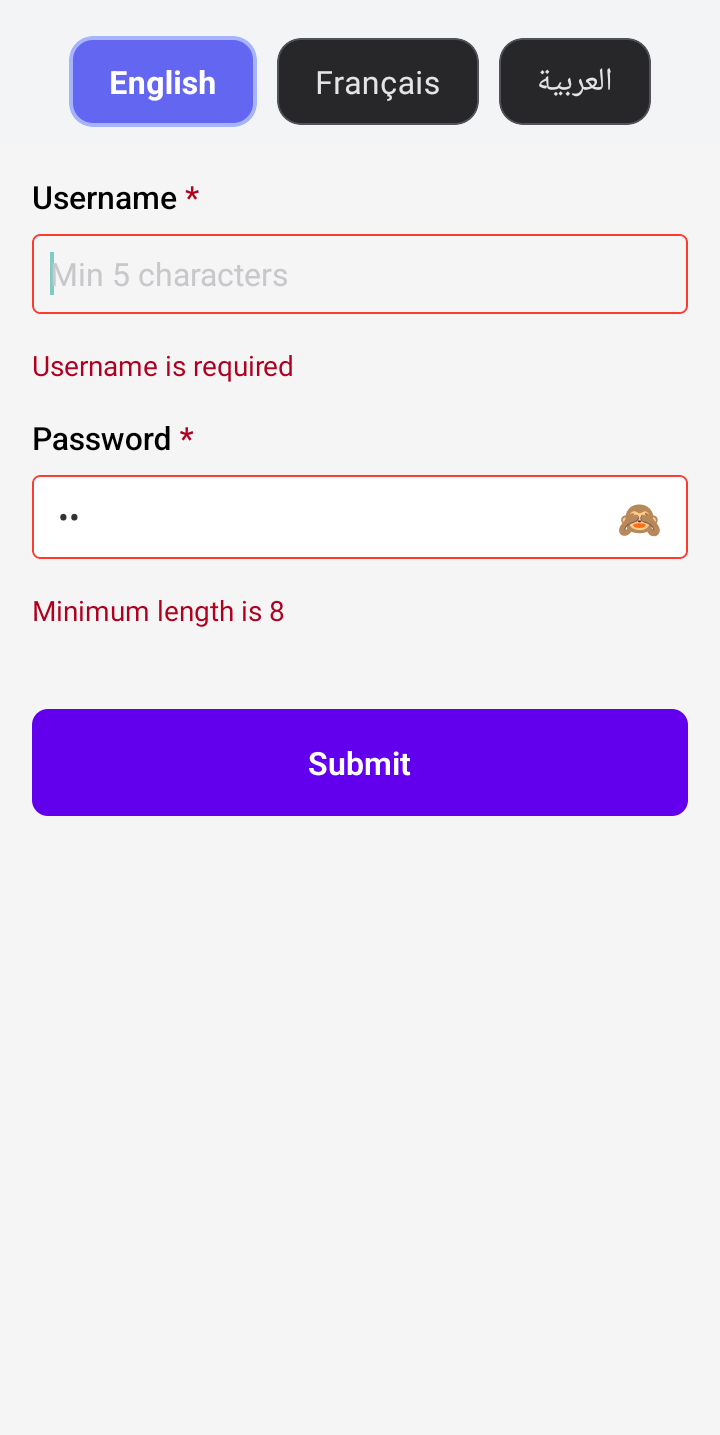
import React from 'react';
import { View, Alert } from 'react-native';
import { FormioForm } from 'formio-react-native';

const validationFormSchema = {
  components: [
    {
      type: 'textfield',
      key: 'username',
      label: 'Username',
      placeholder: 'Min 5 characters',
      validate: {
        required: true,
        minLength: 5,
      },
    },
    {
      type: 'password',
      key: 'password',
      label: 'Password',
      placeholder: 'Min 8 characters',
      validate: {
        required: true,
        minLength: 8,
      },
    },
    {
      type: 'button',
      action: 'submit',
      label: 'Submit',
    },
  ],
};

function ValidationFormExample() {
  const handleSubmit = (submission: any) => {
    Alert.alert('Form Submitted', JSON.stringify(submission, null, 2));
  };

  const handleError = (errors: any[]) => {
    Alert.alert('Validation Errors', JSON.stringify(errors, null, 2));
  };

  return (
    <View style={{ flex: 1, padding: 20 }}>
      <FormioForm form={validationFormSchema} onSubmit={handleSubmit} onError={handleError} />
    </View>
  );
}

export default ValidationFormExample;
Multi-step Form (Wizard)
9:41
📶🔋
←First Step⋮
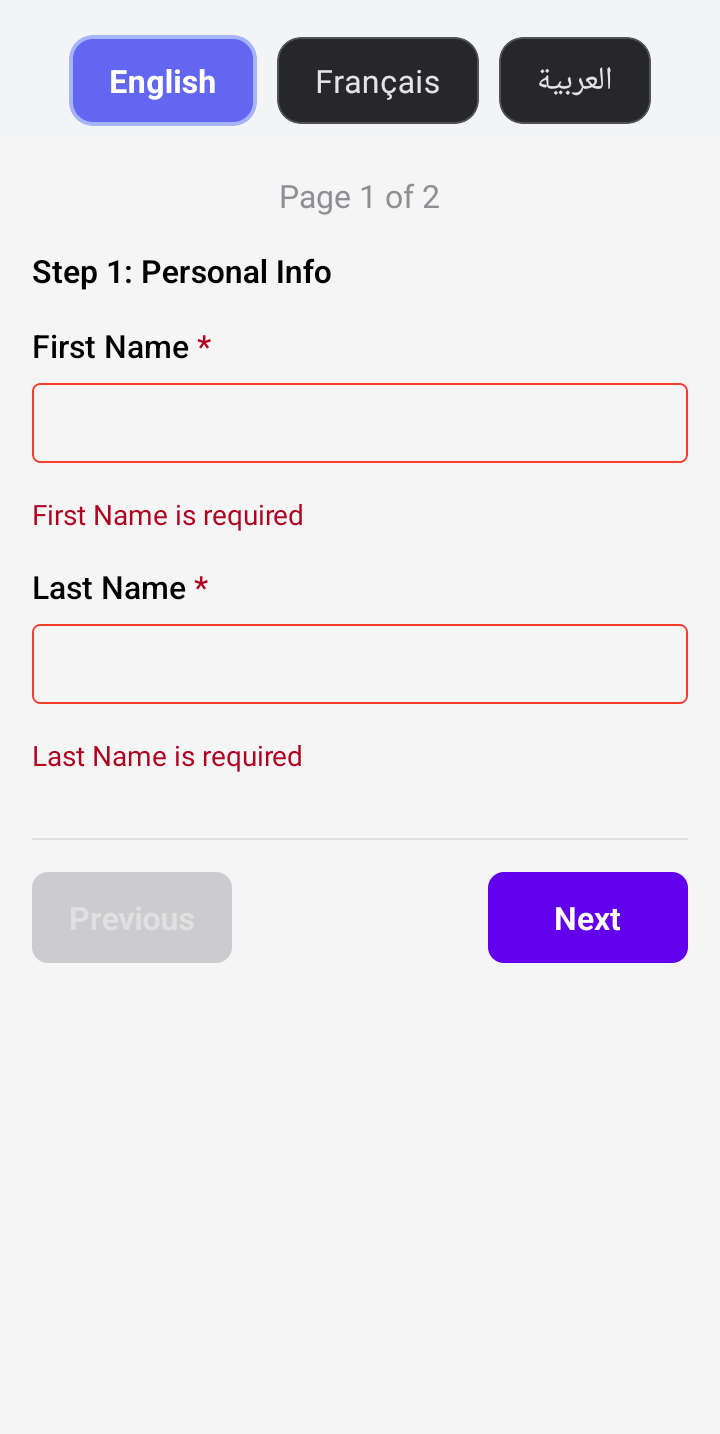
9:41
📶🔋
←Second Step⋮
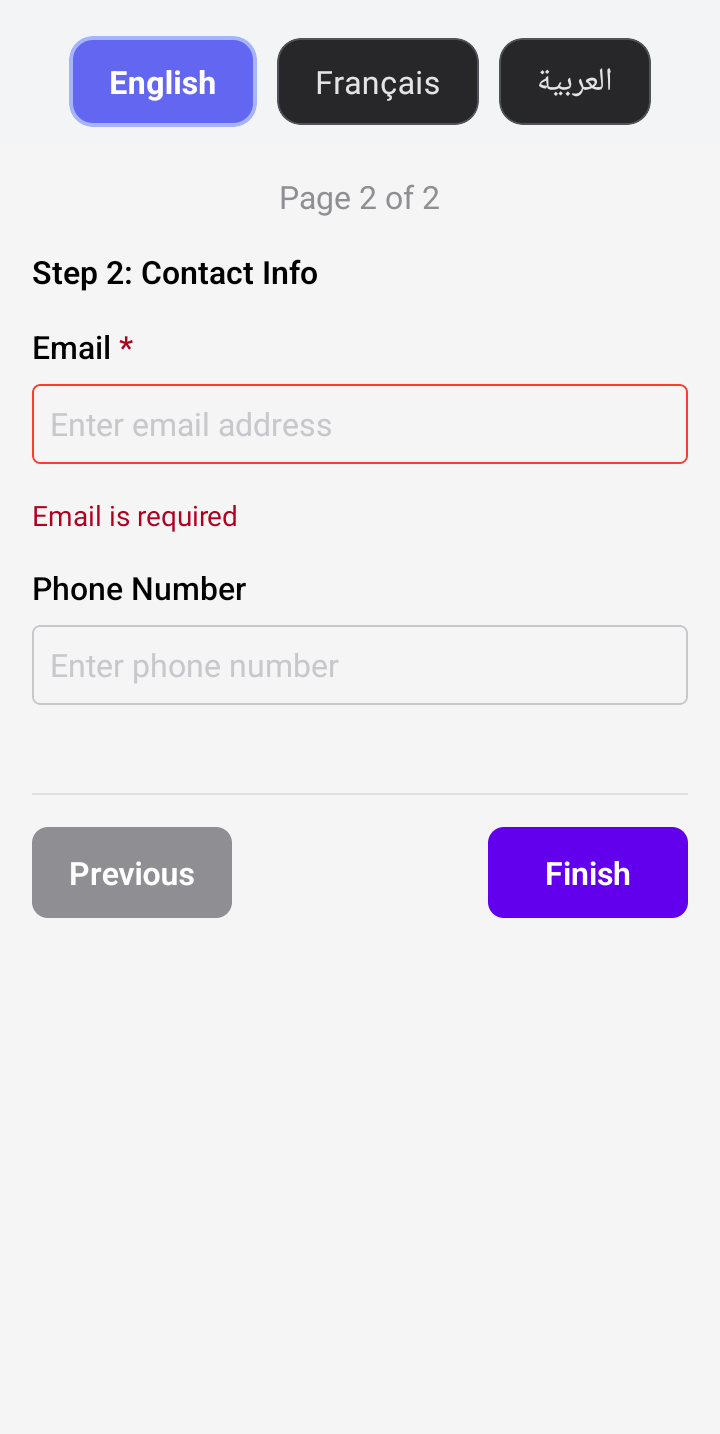
import React from 'react';
import { View, Alert } from 'react-native';
import { FormioForm } from 'formio-react-native';

const wizardFormSchema = {
                  display: 'wizard',
                  components: [
                    {
                      title: 'Step 1: Personal Info',
                      key: 'personalInfo',
                      type: 'panel',
                      input: false,
                      tableView: false,
                      components: [
                        {
                          label: 'First Name',
                          tableView: true,
                          key: 'firstName',
                          type: 'textfield',
                          input: true,
                          validate: { required: true },
                        },
                        {
                          label: 'Last Name',
                          tableView: true,
                          key: 'lastName',
                          type: 'textfield',
                          input: true,
                          validate: { required: true },
                        },
                      ],
                      nextPage: 1,
                    },
                    {
                      title: 'Step 2: Contact Info',
                      key: 'contactInfo',
                      type: 'panel',
                      input: false,
                      tableView: false,
                      components: [
                        {
                          label: 'Email',
                          tableView: true,
                          key: 'email',
                          type: 'email',
                          input: true,
                          validate: { required: true },
                        },
                        {
                          label: 'Phone Number',
                          tableView: true,
                          key: 'phone',
                          type: 'phoneNumber',
                          input: true,
                        },
                      ],
                      nextPage: null,
                    },
                  ],
                }

function WizardFormExample() {
  const handleSubmit = (submission: any) => {
    Alert.alert('Wizard Form Submitted', JSON.stringify(submission, null, 2));
  };

  return (
    <View style={{ flex: 1, padding: 20 }}>
      <FormioForm form={wizardFormSchema} onSubmit={handleSubmit} />
    </View>
  );
}

export default WizardFormExample;
Next: Advanced Examples